
Onboarding Check List
Updated: Oct 3, 2022
Estimated time to complete: 1 hour
Below are a list of basic steps you will need to go through to get your new Popmix CRM account up and running.
Most of the steps are better completed by the user before they schedule an onboarding call because they require a user name and password, admin access to external software or are easy enough anyone can do them.
NOTE: The biggest obstacle we have in setting up new CRM accounts is that users do not remember their user names and passwords to other software like Gmail, GoDaddy, Facebook etc. Please have ALL your user names and passwords ready, you will need them often during this set up process.
1) Go thru the step by step onboarding process below.
2) Schedule your onboarding call to help with any issues you may have encountered.
Introduction
On the Left Menu Go to Automation, then workflows.
Find the Unsubscribe Folder.
If any items are in draft you need to Publish them.
Double click a line item to open the workflow.
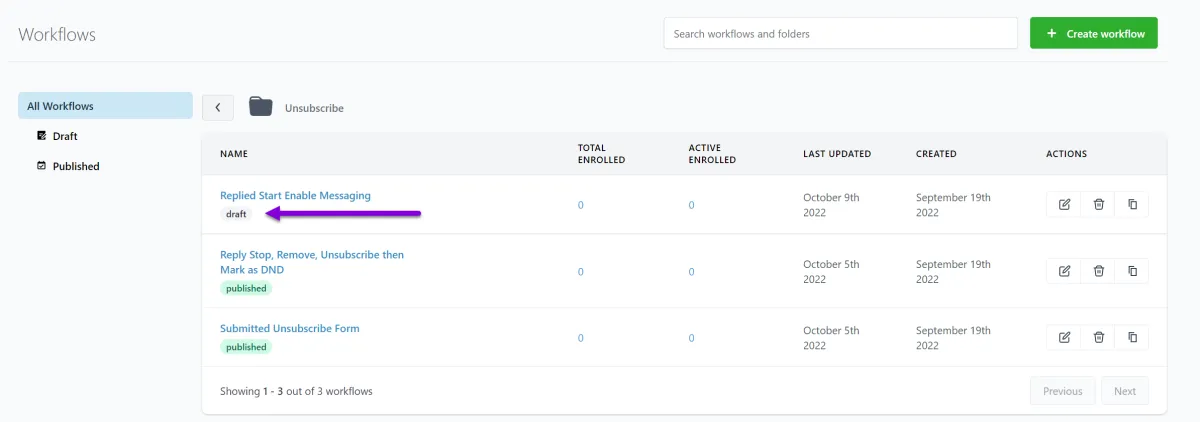
Ensure all messages in the Workflow are configured properly with a [FROM NAME] and a [FROM EMAIL] and check the subject line and message are ok.
Repeat with all emails and sms message configurations
Client Save Action in lower Right corner.
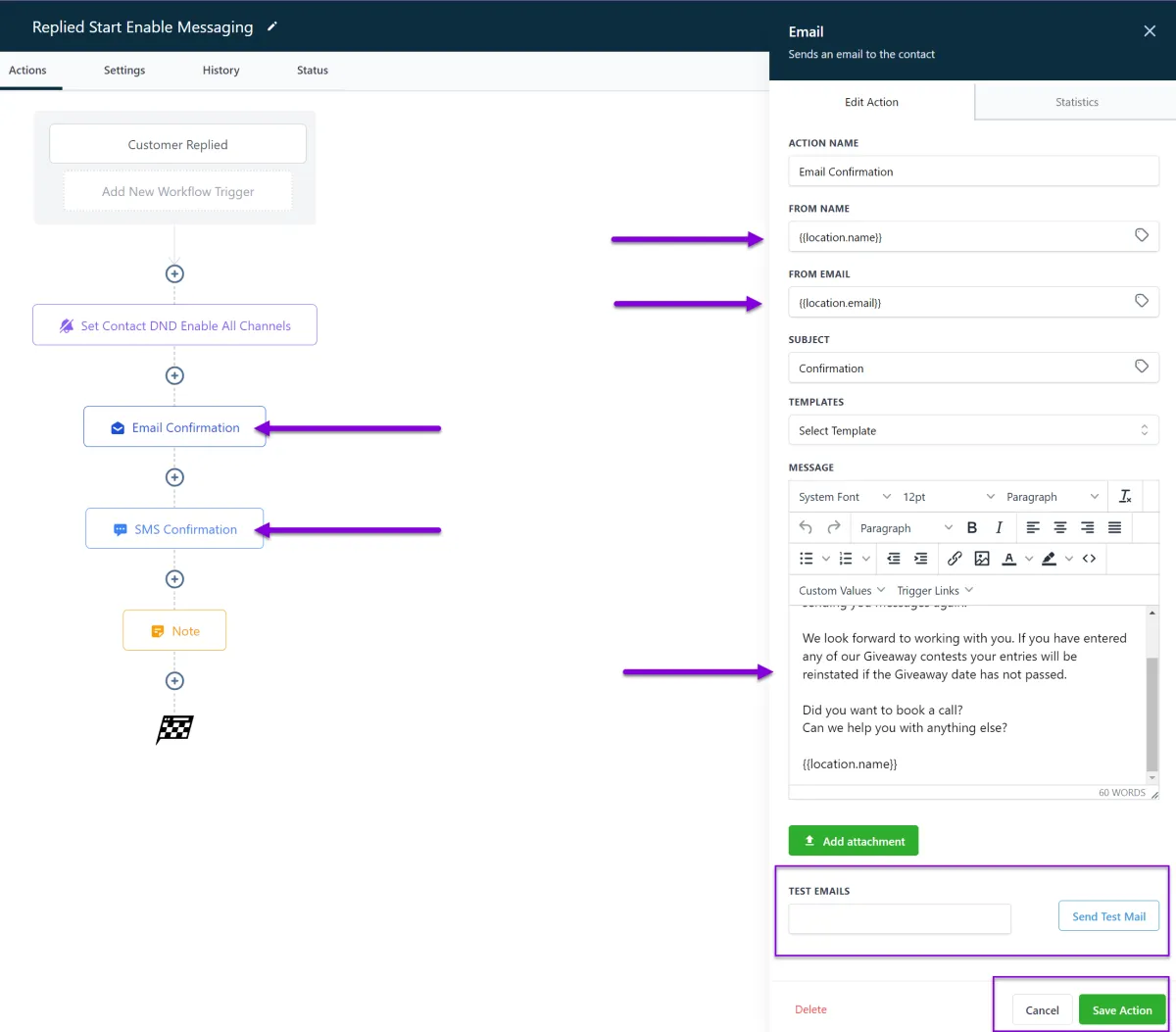
Once you Save the changes in the lower left you must confirm the Save in the Top Right and
change the draft button to a blue Publish option.
This will Publish the workflow and make it active.
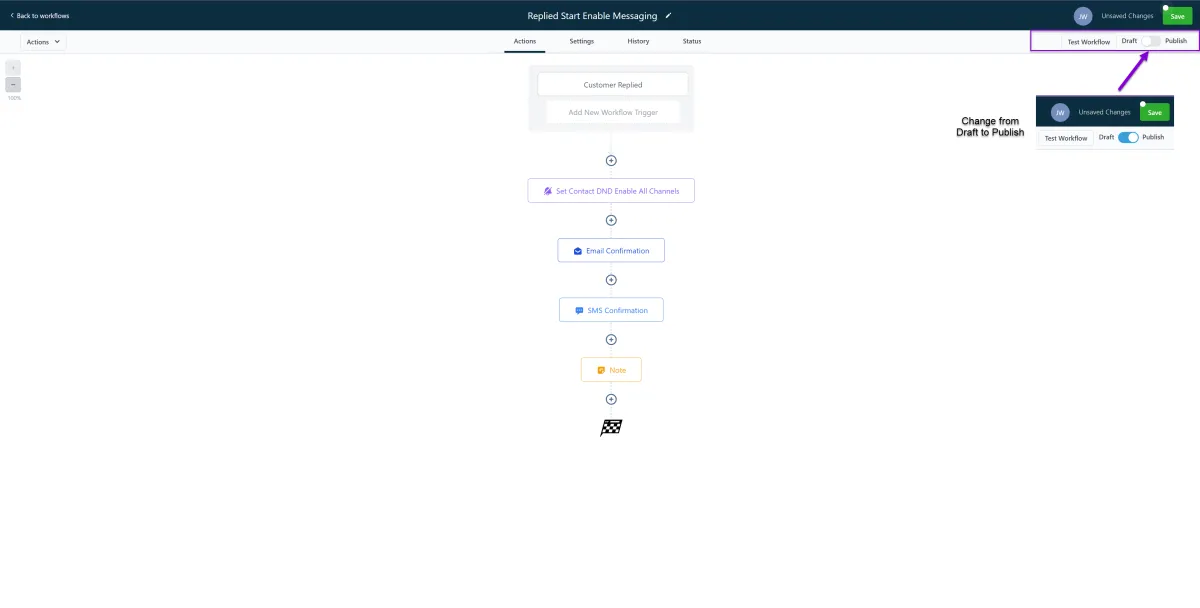
All workflows should be published now.
Onboarding FAQ's
Do I need to update our Company Information?
Yes, you need to update your company information because this information is used in several forms, funnels, workflows and emails. It is especially used for keeping all client account compliant with CAN-SPAM and TCPA Laws.

Can I use a Free email, paid SMTP and Bulk email at the same time?
No, you can either use a Free OR a Paid SMTP service provider OR you can use Mailgun as a bulk email service provider you can't use both.

Do I need to use Mailgun as a Bulk Email provider?
Technically, no. We highly recommend using Mailgun. We can not provide technical support for non-Mailgun Bulk Email users. Other Bulk email service providers that have been successfully integrated with Popmix CRM are
Just about any SMTP provider can be implemented but we can't be experts on every platform in the market.
What should I do if my emails are landing in recipient Spam folders?
Email can land in the spam or Gmail Promotions folder for a variety of reasons.
1) First and foremost don't send Spam. Spam is an unsolicited email regardless of your intent to sell anything if they did not specifically opt-in to receive a n email then it could be considered Spam.
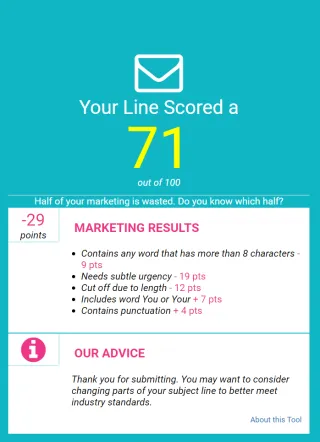
2) Use a Subject Line tester such as https://subjectline.com/ or http://emailsubjectlinegrader.com/ to test or grade your subject line and show you how likely it is to be considered Spam.
3) Set up your SPF, DKIM and DMARC.
SPF, DKIM and DMARC are simply a set of email authentication methods to prove to ISPs and mail services that senders are truly authorized to send email from a particular domain and, are a way of verifying your email sending server is sending emails through your domain. Google has a good article to c fall asleep to that explains how to set up these up.
SPF Article : https://support.google.com/a/answer/33786?hl=en#to-do
DKIM Article : https://support.google.com/a/answer/174124?hl=en
DMARC Article : https://support.google.com/a/answer/2466563?hl=en
Why do you recommend Google Workspace Accounts?
1) They are cheap! Starting $6 a month and you can send a lot of emails.
2) They are really easy to set up. Most users can set these up themselves in less than 30 mins.
3) Google Workspace is fully integrated with Popmix CRM and allows you to use a lot of other Google solutions like, Google Analytics, Google Ads, and Google Messages etc